


 1.76 MB

Real Sky (remake) V1.2


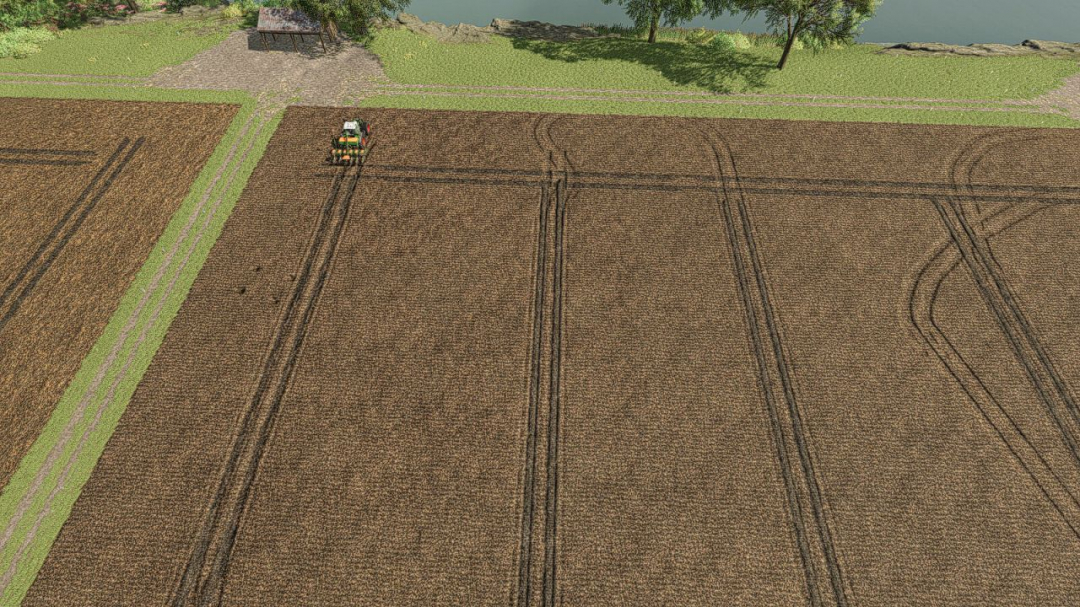
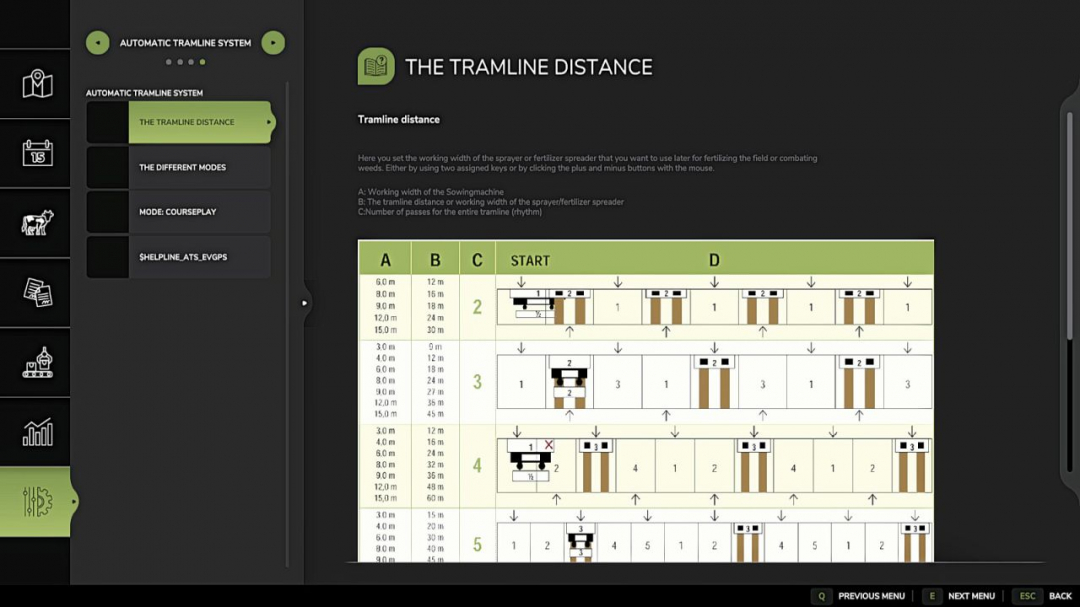
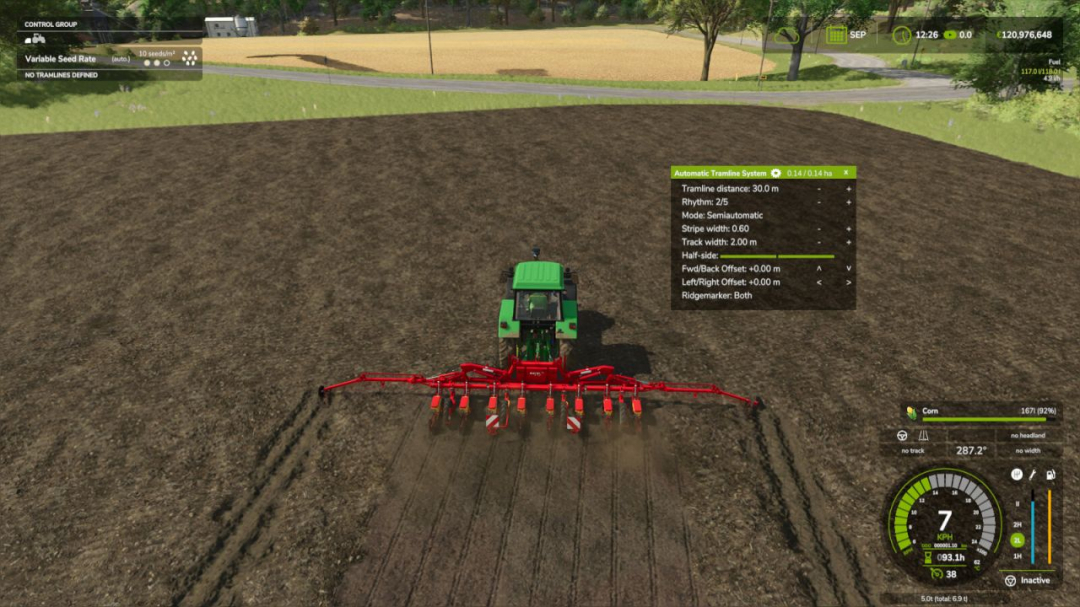
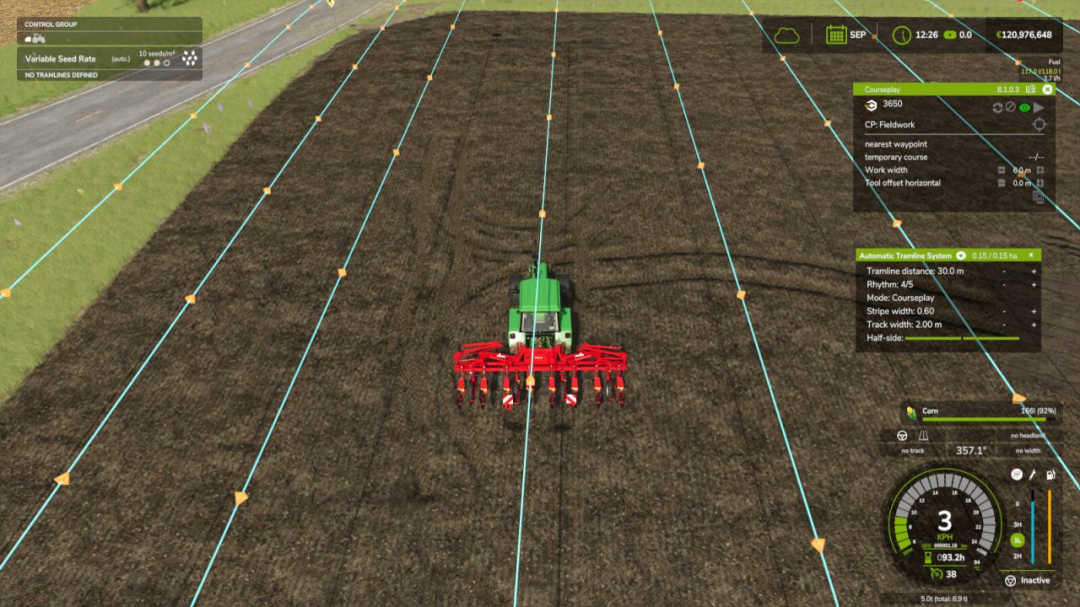
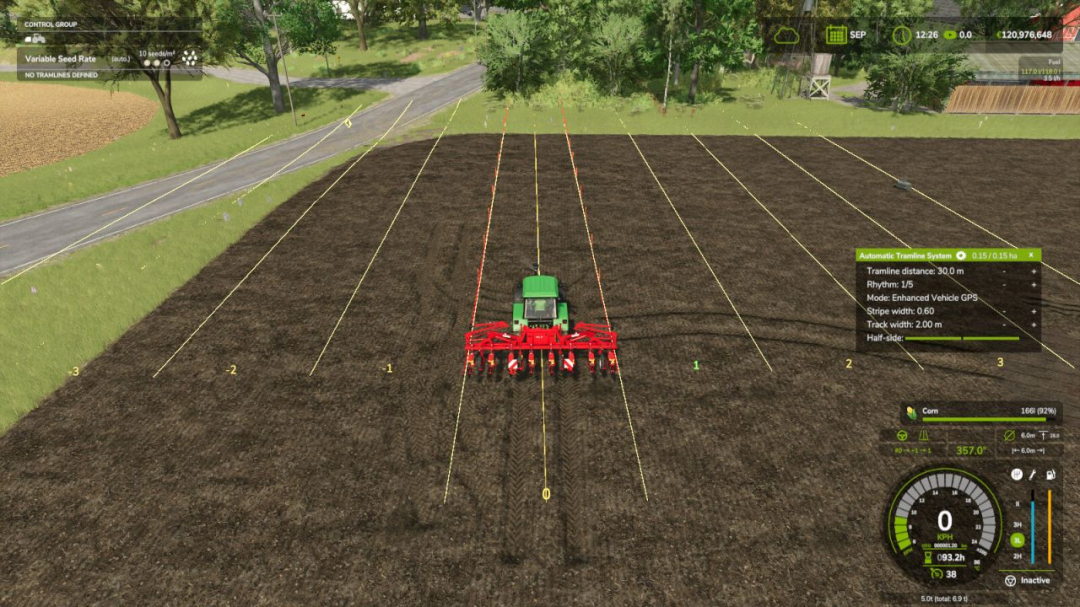
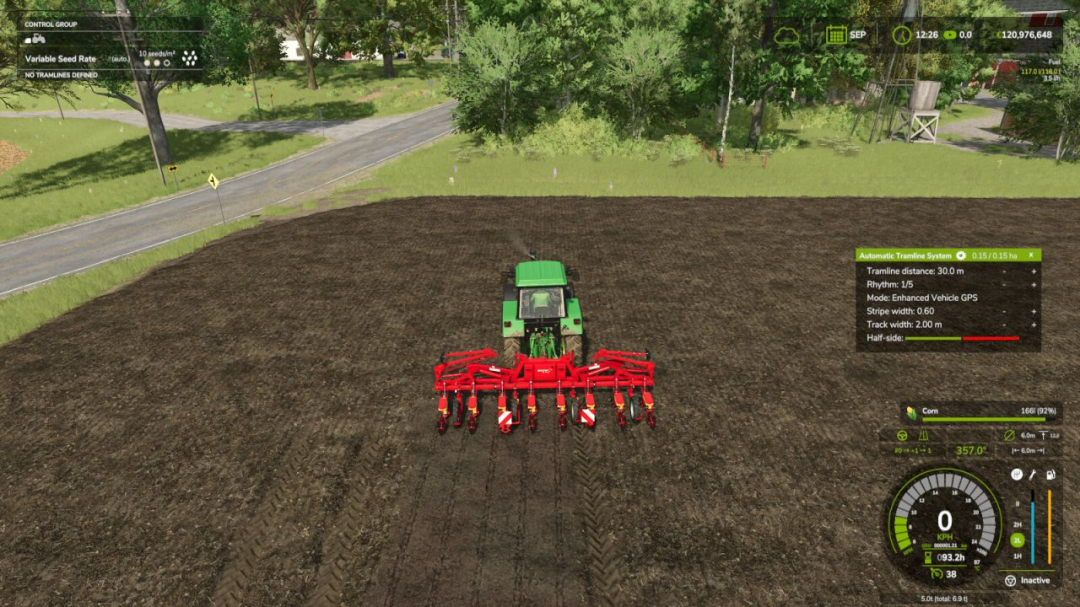
Tramline Automation for FS25 This is my first script mod for FS25. Since the tramlines from Precision Farming did not always convince me, I developed this feature. It automatically integrates into all implements that can be used as seeders. The HUD can be controlled with the mouse, which can be activated via an assigned key. **Set Tramline Distance:** Here you set the working width of the sprayer or fertilizer spreader. This can be adjusted using two assigned keys or by clicking the plus and minus buttons with the mouse. **Rhythm:** Here you can see the number of passes required for one working width of the sprayer or fertilizer spreader. In semi-automatic mode, the current pass can be adjusted with + and – if necessary. Refer to the help pages available in the game in the ESC menu. The half pass should only be done on the second pass. **If you are using GPS and a half pass is required, it should look like this:** First pass normal. Starting from the second pass, set an offset of half the working width in the GPS menu. See the description further below under GPS Offset Mode. **Mode:** The active working mode of the tramline automation can be changed either via an assigned key or with the mouse by clicking on the selected mode. **Pause:** No tramlines will be created. The counter is paused. **Always:** Tramlines are always active when the implement is lowered. **GPS:** Automatic track detection via GIANTS Steering Assist. At the beginning, a reference track must be set, which can be done using an assigned key. **Semiautomatic:** Counting is done by raising/lowering the implement. The symbol indicates whether a tramline is currently being created. **Enhanced Vehicle GPS:** Automatic lane detection via Enhanced Vehicle GPS. This mode is only available when an Enhanced Vehicle GPS course is active. The current pass can be adjusted using the plus and minus buttons. **Courseplay:** This mode is only available if Courseplay is installed. Please refer to the help page for this! **GPS Offset:** **Requirement:** GPS mode Since with an even rhythm number you must work with half the working width on the first pass, you can set an offset so the track does not start jumping. This value can be adjusted via an assigned key or with the mouse using the + and – buttons next to the rhythm. In GPS mode, these buttons are used to increase or decrease the GPS offset. **Track Width:** Here you can see the configured tramline track width. Adjust it with two assigned keys or by clicking the plus and minus buttons with the mouse to match the track width of the crop care tractor, as smaller tractors typically have a narrower track width. **Buttons:** - Tramline distance +/-: Increase or decrease the tramline distance - CURSOR ON/OFF: Show or hide the mouse pointer - Tramline Mode switch: Switch the tramline mode - GPS reference Lane set: Sets the GPS reference track - reference -½ lane or reference +½ lane: Move the GPS reference track half the working width to the right or left - Track width +/-: Adjusts the track width from 1m to 6m. **V1.4.0.0** - Save on dedicated servers: adjusted the HUD position, GPS reference line, and half-side deactivation so they are now saved correctly. - Two new rows added to set the position of the track lane behind the seed drill, accessed via the gear icon. - Since it did not fit correctly on some seed drills, it can now be adjusted. - On the Alpego DMAX 800 + Rubber Seeding Units, the track lane is now created centered by default. - Ridgemarkers can now be controlled with 5 different modes, also accessed via the gear icon. - You can deactivate the pre-emergence marking so that tramlines are only visible from the first growth stage onwards. - Help pages updated for the new settings.
Comments:
Login to place a comment: Login