


 1.28 MB
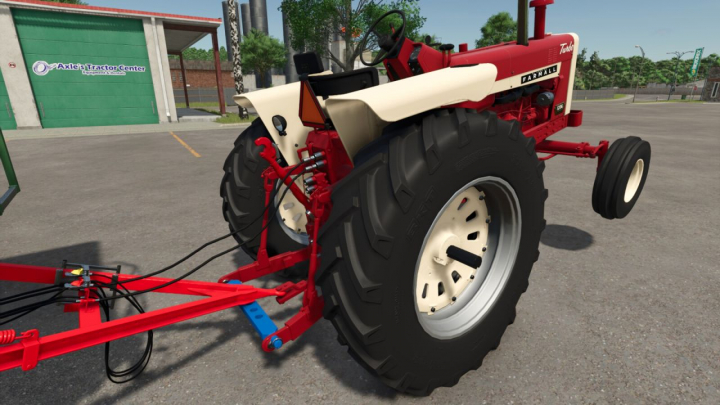

Adjustable Drawbar Pack V1.0


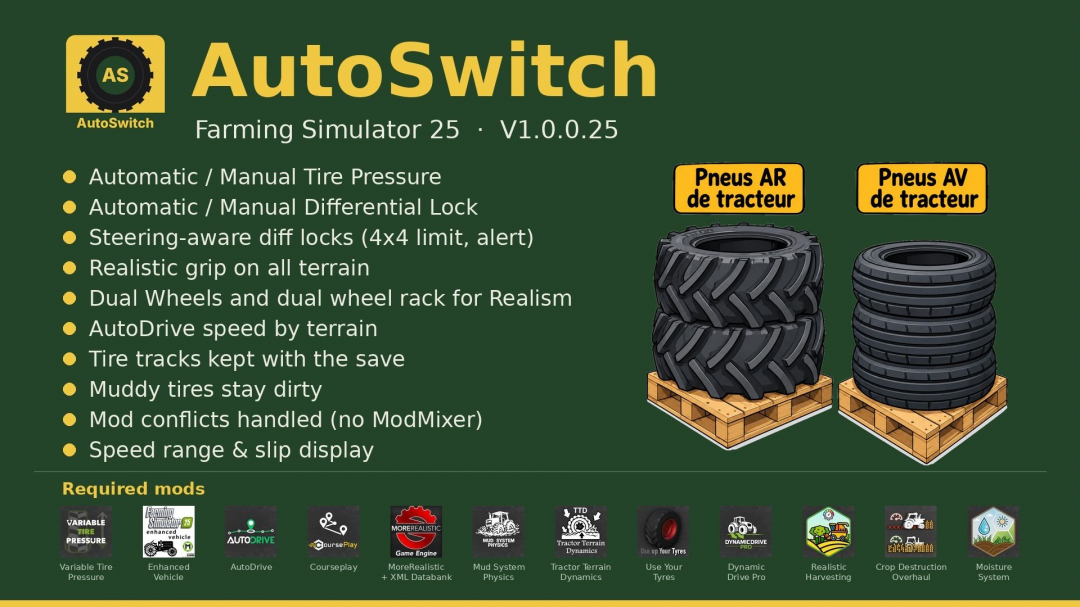

AutoSwitch is a companion mod that automates tire pressure and differential settings while delivering realistic traction. It integrates Variable Tire Pressure, Enhanced Vehicle, MoreRealistic, Mud System Physics, Tractor Terrain Dynamics, and AutoDrive, allowing them to work together seamlessly without modifications or disabling any of them. Goal: To enhance realism and improve performance. Features: - Automatic/manual tire pressure: Compatible with AutoDrive/Courseplay; deflates in the field and inflates on the road. Manual mode offers Automatic or Manual options. Automatic VTP reinflation at 30 km/h is disabled. - Automatic/manual differential lock (Enhanced Vehicle): Rear locks activate at 15% slip, front at 30% (adjustable); unlock at half the threshold; switches to 4WD in the field and 2WD on the road; resets upon loading. - Steering and locks: 90% steering angle in 4WD. Locks disengage when steering exceeds 50% (rear only), 20% (front only), or 10% (both), and re-engage once wheels are straight. Lock requests while wheels are turned are rejected with a "Straighten wheels" alert. - Realistic traction on all terrains (MoreRealistic): Traction loss on wet ground across 5 difficulty levels (Beginner, Easy, Normal, Hard, Extreme); Variable Tire Pressure bonus adjusted to +15% (+20% for dual wheels); fixed differential lock bonus (+4% rear, +3% front); incorporates wear mechanics. - Dual wheels: Real-world width considered via Mud System Physics; improved traction on wet ground; VTP fix for brand-variant tires. Dual-wheel pallets: Rear (BKT 650/65R42) and front (BKT 540/65R30) available in shop and build menu. Tire-by-tire mounting/dismounting (15 minutes per tire); tractor locked during the process. - AutoDrive speed based on terrain: 20 km/h in fields, 30 km/h on tracks, unlimited on roads; adjustable in 2 km/h steps. - Tire tracks are preserved in save games. - Implements stay stable when stationary; mud resistance applies to trailers and implements. - Mod conflict management: AutoSwitch automatically manages interactions with other mods like MoreRealistic, Use Your Tyres, DynamicDrivePro, Enhanced Vehicle, and Recovery Winch (ModMixer no longer needed). - Display: Shows recommended speed range and wheel slip percentage near the speedometer; alerts for wheel slip. - Seeding: Crop protection, seeder filling with lid closed, direct re-seeding over flattened strips. - Mud: AutoSwitch’s Mud System Physics and TTD settings are applied automatically. Using dual-wheel pallets: 1. Place rear and front pallets side-by-side. 2. Park the tractor within the marked rectangle (red, turns green when correctly positioned). 3. Stand on the yellow marker, press Right Ctrl + I, and confirm. 4. To dismount, repeat with empty pallets; original tires are reinstalled. Dual-wheel sets must match the current tire brand on the tractor. Settings: Settings > General > AutoSwitch. Required mods (all mandatory): FS25_VariableTirePressure, FS25_EnhancedVehicle, FS25_AutoDrive, FS25_Courseplay, MoreRealistic, moreRealisticXmlDatabank, FS25_MudSystemPhysics, FS25_TractorTerrainDynamics, FS25_DynamicDrivePro, FS25_useYourTyres, FS25_RealisticHarvesting, FS25_CropDestructionOverhaul, FS25_MoistureSystem. Known limitations: - Wheel changes are only possible in single-player mode; a brief freeze occurs during reloading (longer if implements are attached). - Dual wheels can only be fitted if configured in the tractor’s file. License: CC BY-NC-SA 4.0 — sharing and modification allowed with attribution; no commercial use; derivatives must be shared under the same license. Beta 2 updates: - Separate rear/front differential locks (15%/30% slip, adjustable), fixed bonuses of +4% rear / +3% front. - 90% steering in 4WD; locks disable when wheels turn, with warning. - Traction on wet ground across 5 levels; VTP bonus capped (+15%, +20% with dual wheels). - AutoDrive speed adjusts based on terrain in 2 km/h steps. - Implements stay stable when stationary; mud also slows trailers and implements. - Integrated conflict resolution between mods (ModMixer no longer required).
Comments:
Login to place a comment: Login