


 51.14 MB
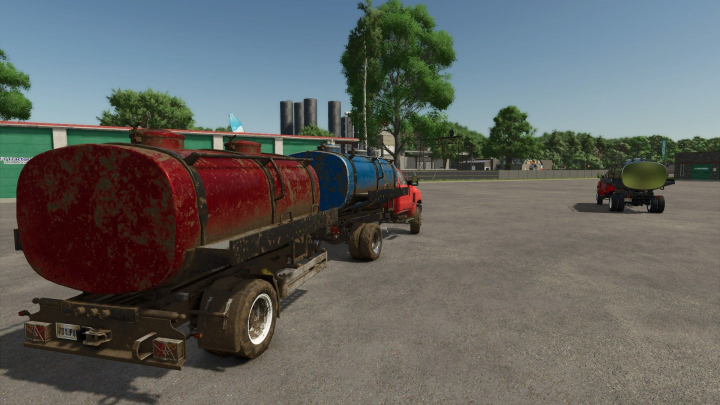

EDK 650 V1.0

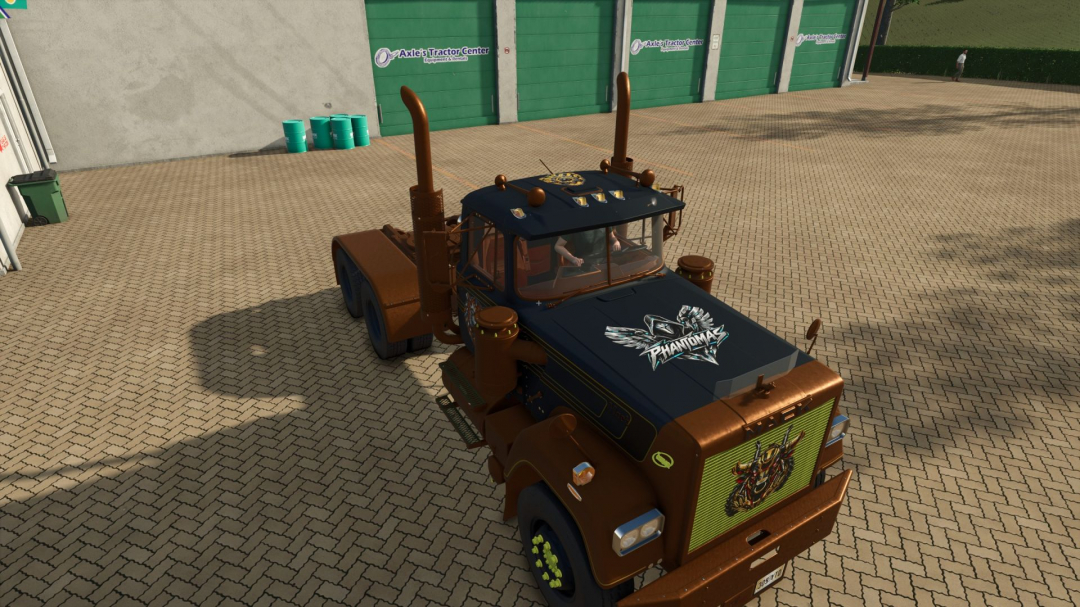
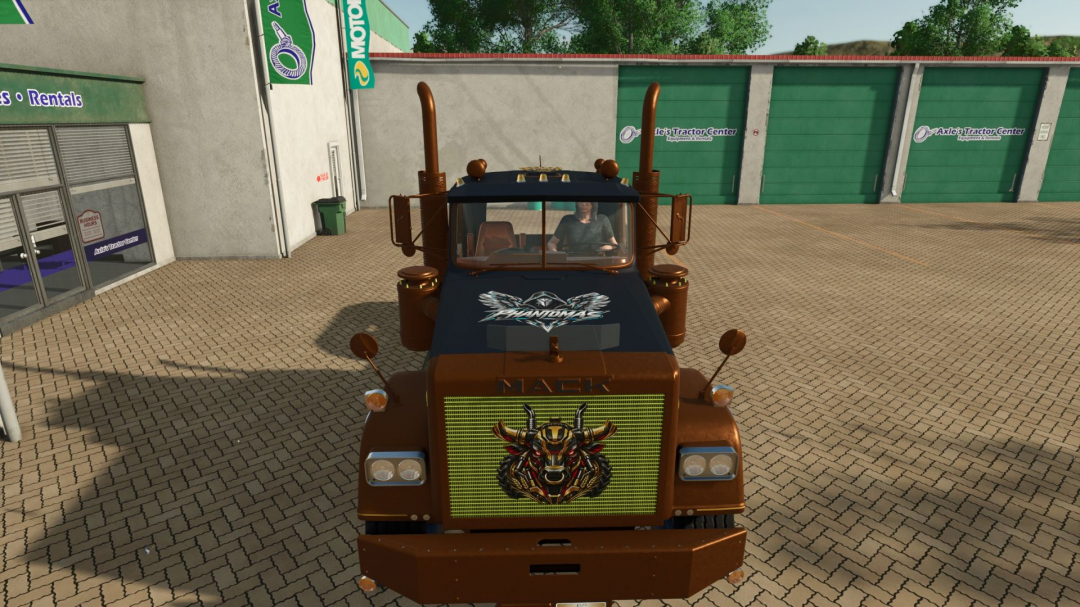
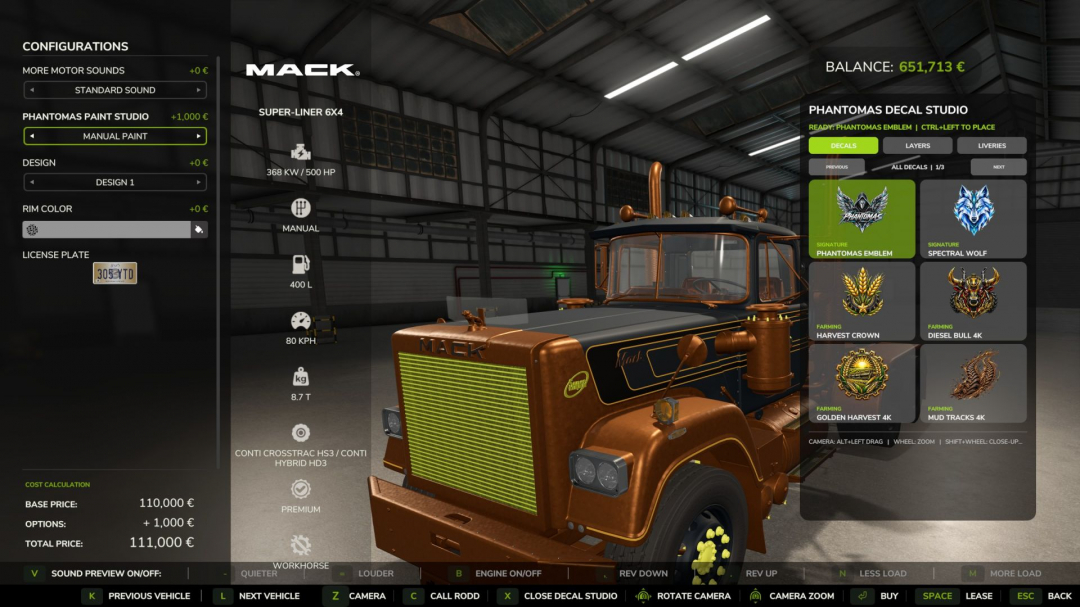
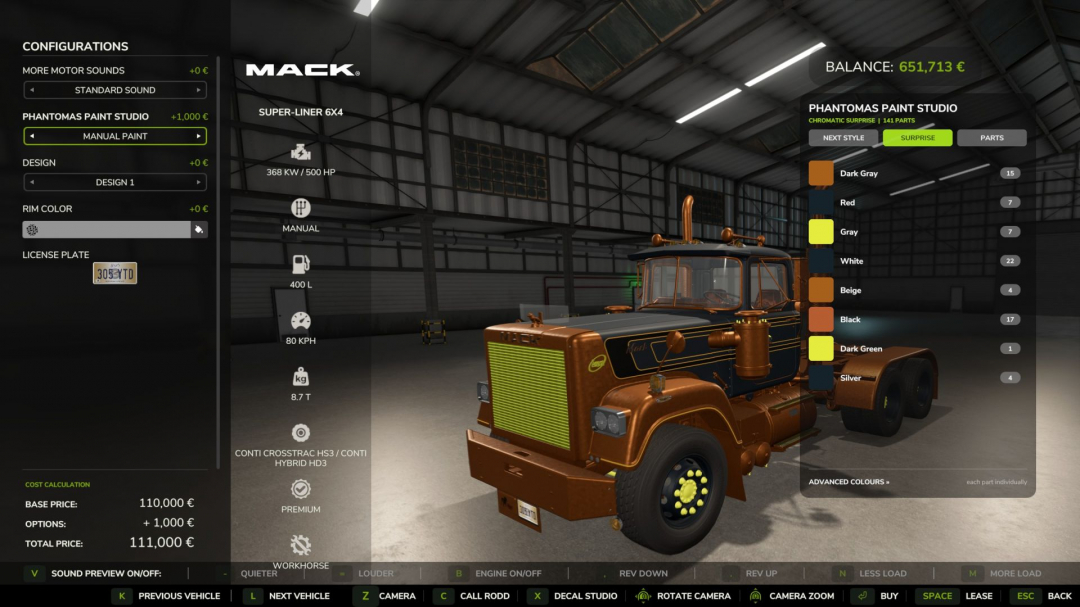
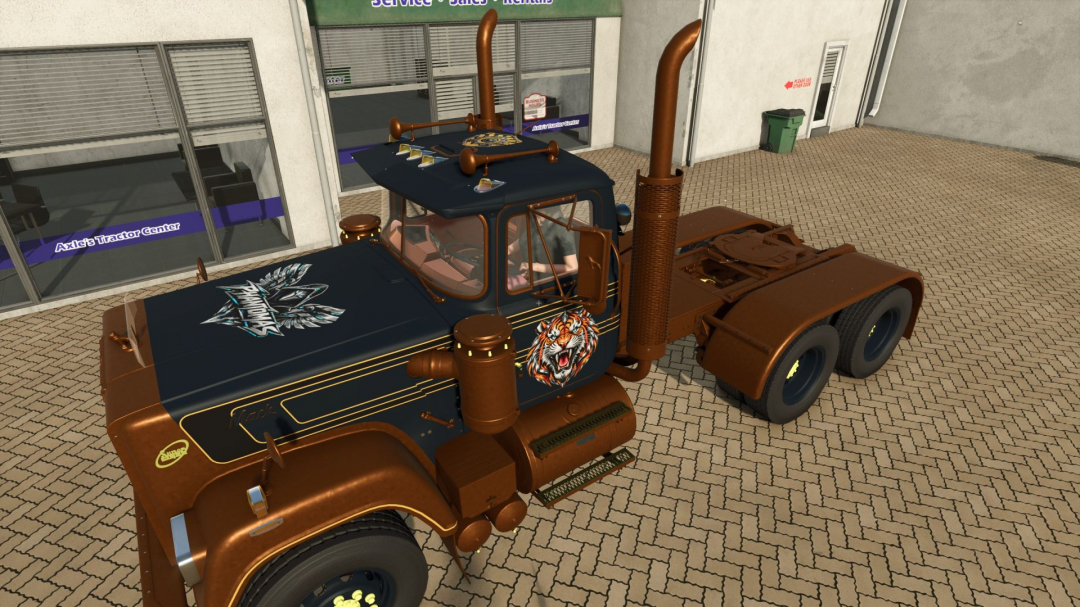
PHANTOMAS Paint & Decal Studio allows you to paint every material on a vehicle—beyond just the limited color slots provided by the manufacturer, even on non-paintable vehicles. Enable "PHANTOMAS Paint Studio" in the shop or workshop to access the full painting features. The list includes complete paint presets: each carefully curated shade is available in Glossy, Metallic, and Matte finishes, with additional options like Pearl, Candy, Chrome, and Galvanized. Use any RGB color, premium finishes, and over twenty original patterns. Switch to the per-part tree for independent control of left and right material slots. Cycle through a vast collection of curated whole-vehicle themes with STYLE PRESET or generate a four-color chromatic combination with SURPRISE. Applying paint costs an adjustable fee, and all designs remain after purchasing, saving, workshop modifications, and multiplayer sessions. Version 3.1 introduces the first visual Decal Library. Open DECAL STUDIO to replace the paint rail with a clean thumbnail catalog and choose from options like PHANTOMAS Emblem, Spectral Wolf, Mechanical Raven, or Harvest Crown. The shop camera remains fully native: Alt + left drag rotates, and the mouse wheel zooms. Shift + mouse wheel provides a precise close-up for decal placement, returning to the normal view when the studio closes. Decal commands are active only while Left Ctrl is held: Ctrl + left-click places the decal, Ctrl + right-click edits an existing one. Middle-mouse drag uses Surface Snap to follow vehicle panels, rejecting large false jumps through render-only panels. Free Move is available with Ctrl + middle-mouse drag, allowing positioning over non-visible panels like aluminum boxes. Shift + middle-mouse tilt adjusts the decal freely on two axes. Placement rays ignore existing decals and showroom geometry. Ctrl + wheel resizes, Ctrl + Shift + wheel rotates, Ctrl + Alt + wheel adjusts depth, and Ctrl + Shift + right-click deletes decals. Rotation and tilt angles are displayed live and persist through saving, buying, and multiplayer. Decals are double-sided for visibility from both inside and outside the vehicle. Clicking a thumbnail exits editing mode and prepares the decal for placement—no vehicle I3D editing needed. Each decal follows the selected vehicle component. Version 3.2 adds the Layer Manager, displaying applied decals in a paged visual list. You can select, reorder, hide, lock, duplicate, or delete layers without clicking the vehicle. Layer settings persist across saves, purchases, and multiplayer. Version 3.2.1 maintains Cyber Phoenix as a premium 4K decal and introduces one-click MIRROR in the Layer Manager. MIRROR creates a symmetrical copy across the vehicle’s central axis, preserving design, size, rotation, and tilt, with the mirrored decal selected immediately for final adjustments. Version 3.3 introduces Livery Presets. Six model-specific slots store and restore the entire current design—including colors, finishes, patterns, and decals—with a single action. Presets are saved within the current savegame and can be overwritten or deleted via the new LIVERIES tab. Version 3.4 brings Decal Packs. The DECALS tab now allows browsing named packs and pages without cluttering the studio. The catalog is loaded from decals/decalPacks.xml, requiring only the DDS, thumbnail, I3D, and one catalog entry for future decals. Existing decal IDs and saved vehicles remain fully compatible. Version 3.5 adds ten new high-resolution 4K decals: Diesel Bull, Golden Harvest, Mud Tracks, Twin Turbo, Cyber Tiger, Cyber Stallion, Mech Eagle, Gear Shield, Reactor Skull, and Wheat Pinstripe. These are organized into Farming, Racing, Animals, Industrial, and Ornaments packs. Each asset includes a lightweight thumbnail and loads full-resolution textures only when used. Version 3.6 revamps Paint Studio with a premium header and permanent STYLE, SURPRISE, and PARTS controls. Whole-vehicle styles now apply to every safe paintable part, using a new semantic detail role and reporting coverage live. The palette expands with eight new chromatic templates and twenty-one exotic finishes, including Pearl, Candy, Satin, and coloured-Chrome. The PHANTOMAS edition is based on Robin’s original Manual Paint project (diod.es). V3.8.0.0 expands the premium finishes with Diamond Flake, Prismatic Pearl, Ceramic Gloss, Velvet Matte, and Stardust Metallic paints. Twenty-six new one-click shades and twelve style templates combine these finishes. Three new premium decals enhance the Signature, Farming, and Racing collections. Used Machinery integration remains optional. The shop camera remains fully native: Alt + left drag rotates, and the mouse wheel zooms. Shift + mouse wheel offers precise decal placement, returning to normal view when closed. Decal commands are active only with Left Ctrl held: Ctrl + left-click places decals, Ctrl + right-click edits. Middle-mouse drag uses Surface Snap, rejecting large jumps through render-only panels. Free Move is available with Ctrl + middle-mouse drag, and tilt adjustments with Shift + middle-mouse. Placement rays ignore existing decals and showroom geometry. Resizing, rotating, adjusting depth, and deleting decals are controlled via Ctrl + wheel combinations.
Comments:
Login to place a comment: Login